NOVATO, Calif. June 8, 2026 – IMSI® Design announced today the release of TurboCAD® Mac® 17, available in four...

Latest posts
-
 IMSI Design Releases TurboCAD® Mac 17Read more
 -
 IMSI Design Releases TurboCAD® 2026Read more
NOVATO, Calif. – May 11, 2026 – IMSI® Design, a leader in CAD software innovation, announces the release of TurboCAD®...
-
 Turning My Living Room into an Elegant Dream Space (Mac)Read more
Redesigning a living space is more than just changing furniture or colors - it is about creating an environment that...
-
 Spring Awakening in the Garden – How to Plan Your Green Paradise (Mac)Read more
Spring is the ideal season to breathe new life into your garden. With warmer temperatures and longer days, it’s the...
-
 Spring Awakening in the Garden – How to Plan Your Green ParadiseRead more
Spring is the ideal season to breathe new life into your garden. With warmer temperatures and longer days, it’s the...
-
 Functional and Stylish Kitchen Organization Tips for Modern Homes (Mac)Read more
A well-organized kitchen is essential for creating a modern and stylish home. When items are properly arranged and...
-
 Perfect Placement of Bathroom Accessories for a Beautiful Bathroom (Mac)Read more
Perfect placement of bathroom accessories is a defining element in creating a beautiful, luxurious, and...
-
 IMSI Design Releases DesignCAD™ 2025.1Read more
NOVATO, Calif. – February 3, 2026 – IMSI® Design, a global leader in CAD software solutions, is pleased to introduce...
-
 Functional and Stylish Kitchen Organization Tips for Modern HomesRead more
A well-organized kitchen is essential for creating a modern and stylish home. When items are properly arranged and...
-
 Perfect Placement of Bathroom Accessories for a Beautiful BathroomRead more
Perfect placement of bathroom accessories is a defining element in creating a beautiful, luxurious, and...
Blog categories
- Press Releases (9)
- Blog (26) click
Search in blog
What is the Remove Overlapping Entities Tool?
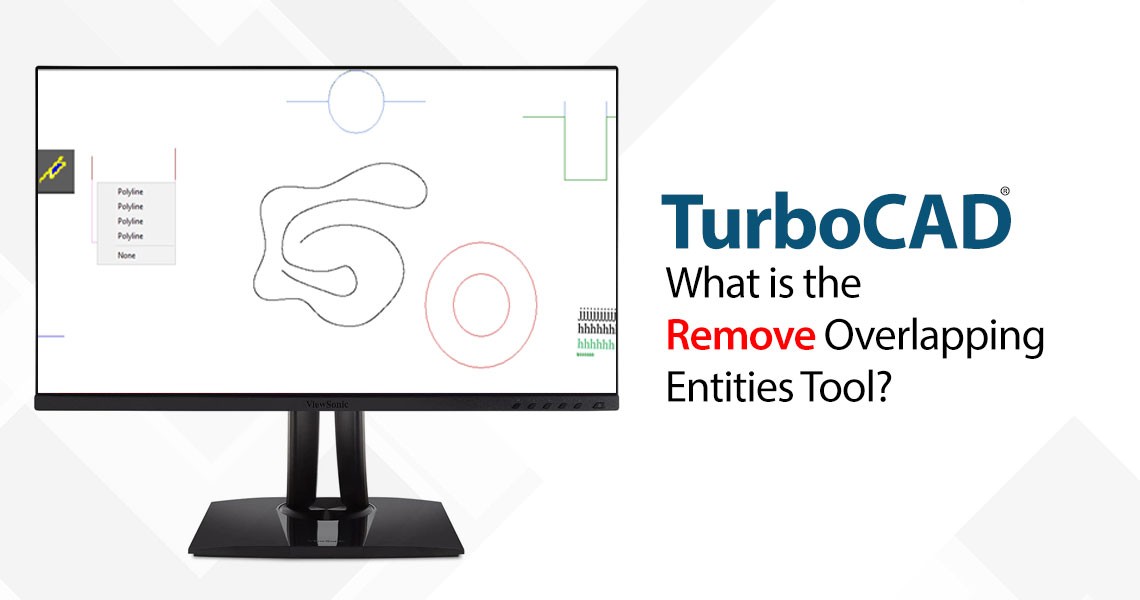
What is the Remove Overlapping Entities Tool?
The Remove Overlapping Entities tool is a command that can be accessed from the Modify menu, or by typing OVERKILL on the command line. This tool analyzes the selected objects in your drawing and identifies any overlapping or duplicate entities, such as lines, arcs, polylines, circles, text, dimensions, etc. It then deletes the redundant entities and preserves the remaining ones, resulting in a cleaner and simpler drawing.
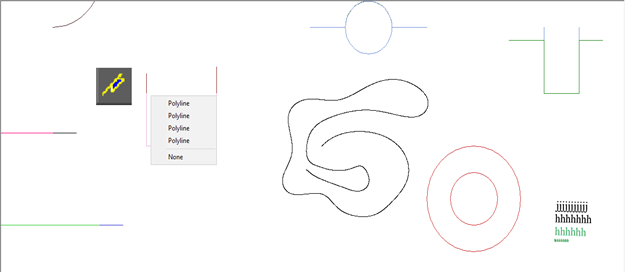
The Remove Overlapping Entities tool has the following local menu options:
Combine Overlap: This option allows you to combine collinear objects that partially overlap into single objects. For example, if you have two line segments that share a common endpoint and have the same direction, this option will merge them into one line segment.
Color, Layer, Line Type: These options allow you to select these local menu items to not ignore objects properties during comparison. For example, if you have two overlapping lines that have different colors, layers, or line types, these options will determine whether they are considered as duplicate entities or not. By default, these options are turned off, meaning that the tool will ignore the properties of the objects and only compare their geometry.
Event Viewer: This option allows you to view the count of objects that were changed (duplicated) by the tool. You can also use the Undo command to revert the changes made by the tool.
Leave a comment