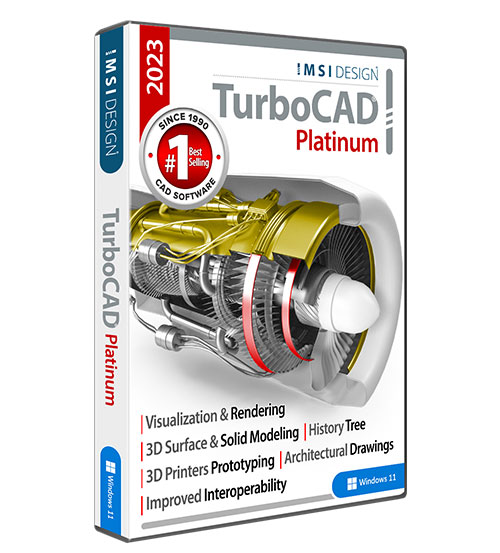
TurboCAD 18 Pro Platinum
The next generation of high-performance CAD has arrived! New TurboCAD® 18 offers significant improvements to just about every area in the application... including 2D and 3D performance.
TurboCAD Pro Platinum is comprehensive, professional architectural and mechanical CAD software for drafting, detailing, and modeling. Robust, powerful tools provide greater control and flexibility. Advanced mechanical tools include parametric control over parts, 2D and 3D symbols, patterns, and constrained arrays. TurboCAD Pro Platinum also includes an integrated suite of architectural tools that are AutoCAD® Architecture compatible. These tools include compound walls, doors and windows with muntins, slabs, roofs, stairs, rails, schedules, and powerful section and elevation tools. Because of the breadth of mechanical and architectural tools, the Pro Platinum Edition is also perfectly flexible for users whose projects cross disciplines.
Call us on 01962 835 081 for Pre-Sales Advice
New For Version 18
New High Performance Tools
NEW GPU Accelerated Drawing Performance in Hidden Line, Draft Rendering, and Wireframe modes. Speed drawing performance up to 60 times faster!
NEW Multi-threading support. Multi-threading takes advantage of multi core processors so the turnaround time on calculations is much faster.
NEW Database Options. Extract attributes from Blocks & Xrefs.
NEW Window or Crossing Selection selects objects with a mouse by using the Window or Crossing methods.
NEW Multi-Select Drawings command lets you open multiple drawings in one step.
UPDATED LightWorks® engine provides progressive, ray-traced rendering, improving workflow by generating fast estimates of images for early preview of light settings. Anti-aliasing for geometry and materials is also improved.
SUPERIOR 2D Constraints due to the updated D-Cubed™ DCM engine integrated into TurboCAD.
More Robust Mechanical Tools
NEW Pattern Tool applies 3D patterns ‘On Polyline’ so that there are now six tools for the rapid creation of parametric patterns. Improved Pattern Tie lets patterns be associative with the object. Also, placement of objects along a curve on the surface will be normal to the surface.
NEW Graphic on Path Tool lets you place graphics on any given path. This is useful for laying out profiles for lofts or arranging graphics including lines, splines, circles, arcs, or ACIS® edges for solids & surfaces.
NEW Multi-Add Tool lets user select multiple objects to do Boolean additions.
NEW 3D Fillet Tool allows filleting of 3D polylines and works with the sweep and rigid sweep tools.
NEW Assembly By Axis Modes. Three new modes make assemblies faster. Plus assembly tools now work with Xrefs and insertions.
IMPROVED Sweep Tools and Simple Extrude Tool add more power to ACIS 3D modeling while updated Bend, Unbend, and Imprint Tools enhance precision design.
More Productive Architectural Tools
NEW Dynamic Dimensions for Doors and Windows display dimensions as doors and windows are inserted, showing the distance to and from the wall ends for easier, more precise placement. Plus, corresponding offset fields are added to the Inspector Bar. Doors and Windows also now offer the ability to attach a block(s) to a selected door or window style.
NEW House Wizard is a big, time-saving tool used to create a preliminary room-by-room design of an entire home.
Roofs and walls are more intelligent. Tops of walls now automatically modify when changing a roof slope. You can also add different materials to various components (top, bottom, fascia, etc.) of a roof.
Programming & Interoperability
NEW Ruby Scripting with console for writing either simple or powerful program scripts for mechanical and architectural design. Language compatible with Google™ SketchUp™ Ruby scripts.
UPDATED File Filters including .DWG/.DXF filter enhancements for better AutoCAD 2011 file sharing and an improved .SKP Filter that now reads/writes up to Google SketchUp version 8.
NEW Network License Support. TurboCAD can now be network enabled.
ENHANCED Software Development Kit with new samples and .NET support.
Smarter, Faster Drafting & Detailing
NEW PDF Underlay lets users import raster PDFs and use as tracing layers with snaps.
NEW Purge Tool makes it a piece of cake to remove unused objects from Model Space and Paper Space.
NEW Ray Tool creates rays on the construction line layer to more clearly define your construction geometry. Construction lines are also now editable and can be converted into rays.
NEW Copy in Place tool works on all 2D and 3D objects.
ENHANCED Layers are more AutoCAD® compatible, including a new layers dialog based on ‘Design Center’. Plus, improved ability to turn on/off layers per viewport.
IMPROVED Drafting Palette, Fillet (2D) Tool, Mirror Tool, Measurement, Text, Stretch Tool and Trim Tool boost productivity.
| 18.1 | |
| Windows XP, Windows Vista 32-bit, Windows Vista 64-bit, Windows XP 64-bit, Windows 7, Windows 7 64-bit, Windows 7 32-bit |
In order to run TurboCAD® Pro 18, your system must include the following
Minimum System Requirements:
- Pentium® IV Processor;
- Microsoft® Windows® XP with 512 MB RAM;
- Windows Vista or Windows 7 with 1 GB RAM;
- 300 MB of free hard disk space;
- 64+ MB of swap space;
- Super VGA (1024 x768) display;
- High Colour (16 bit) graphics support;
- 4X DVD-ROM drive.
Recommended:
Your experience with TurboCAD will be greatly enhanced with a newer generation, higher speed CPU, 2-4 GB RAM, and larger display resolution. An optional GPU-accelerated wireframe render mode requires a supported graphic accelerator. The latest video drivers are typically required. Newer boards with more power and VRAM generally provide greater performance. Most cards in the NVIDIA® Quadro FX 1000 series, GeForce FX series, GeForce 6, 7, 8, and eForce GTX Series, NVIDIA® Quadro FX 1000 & up, NVIDIA® Quadro NVS series, NVIDIA® GeForce FX, NVIDIA® GeForce 6, 7, 8, 9, NVIDIA® Quadro NVS series plus AMD-ATI R600 and R700 families AMD-ATI Radeon 9500 & up, AMD-ATI Radeon X, HD 2000 & up, AMD-ATI FireGL X, AMD-ATI FireGL V 3000 & up, AMD-ATI FirePro series; as well as INTEL® Integrated graphics series GMA 3000, GMA X3000, GMA 4000 (GMA = Graphics Media Accelerator). Flash® Player 8 required to view tutorials.